Objective: Create and Customize Table of Contents
Task: Prepare a document with different headings and apply a table of contents to it.
Solution:
- Type the contents.
- Apply appropriate level of headings from the Styles window.
- Place the cursor at the beginning of document to insert Table of Content.
- Click on Insert → Table of contents and index → Table of contents, index or Bibliography option. The Table of contents, index or Bibliography will appear.
- Select and apply the styles for the Table of Contents.
- Click on OK.
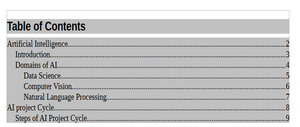
Output :