Here is a practical file format for CBSE Class 10 Information Technology (IT 402) – Part B, including the Objective, Solution/Procedure, and Output of practical. You can use it for school practical examinations and student lab records.
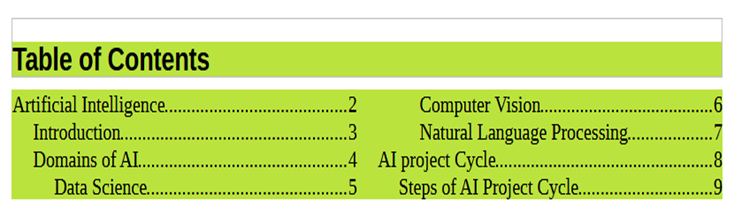
Objective: Customize the table of contents
Task: Apply customization following customization on above Table of contents:
- Apply heading levels up to 3
- Divide Table of contents into two parts vertically
Add a background colour of your choice
Solution:
- Select the Table of Contents created in previous question.
- Select Type tab.
- Find the option include level upto and select 3.
- Click on Columns tab.
- Set 2 in the Columns.
- Click on Background tab.
- Click on Colour button.
- Pick the desired colour to apply as background.
- Click on OK button.
Output: